GUIDE TO SET UP IPTV ON A MAG DEVICE
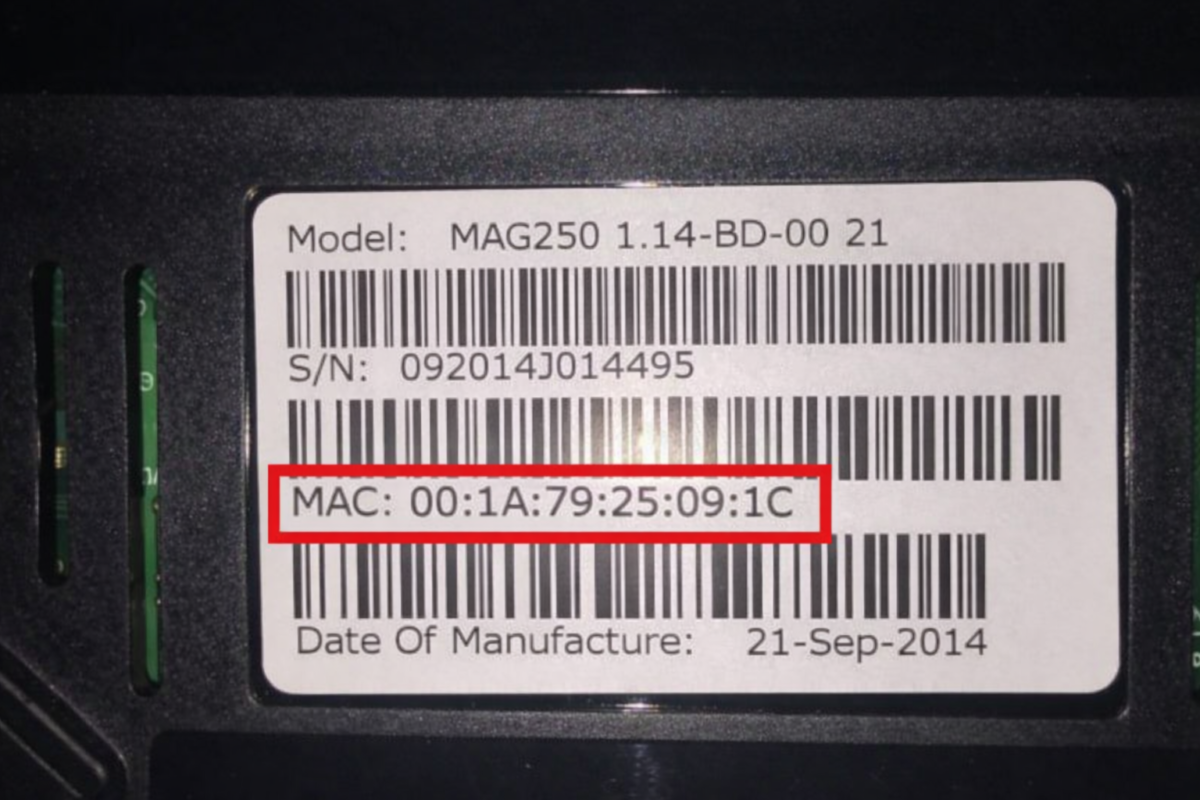
- Make sure your MAC address is registered. If not, contact the seller. If you don’t know where to find it, simply turn your MAG camera over: the MAC address is printed on the back of the device. Then use this address for registration.
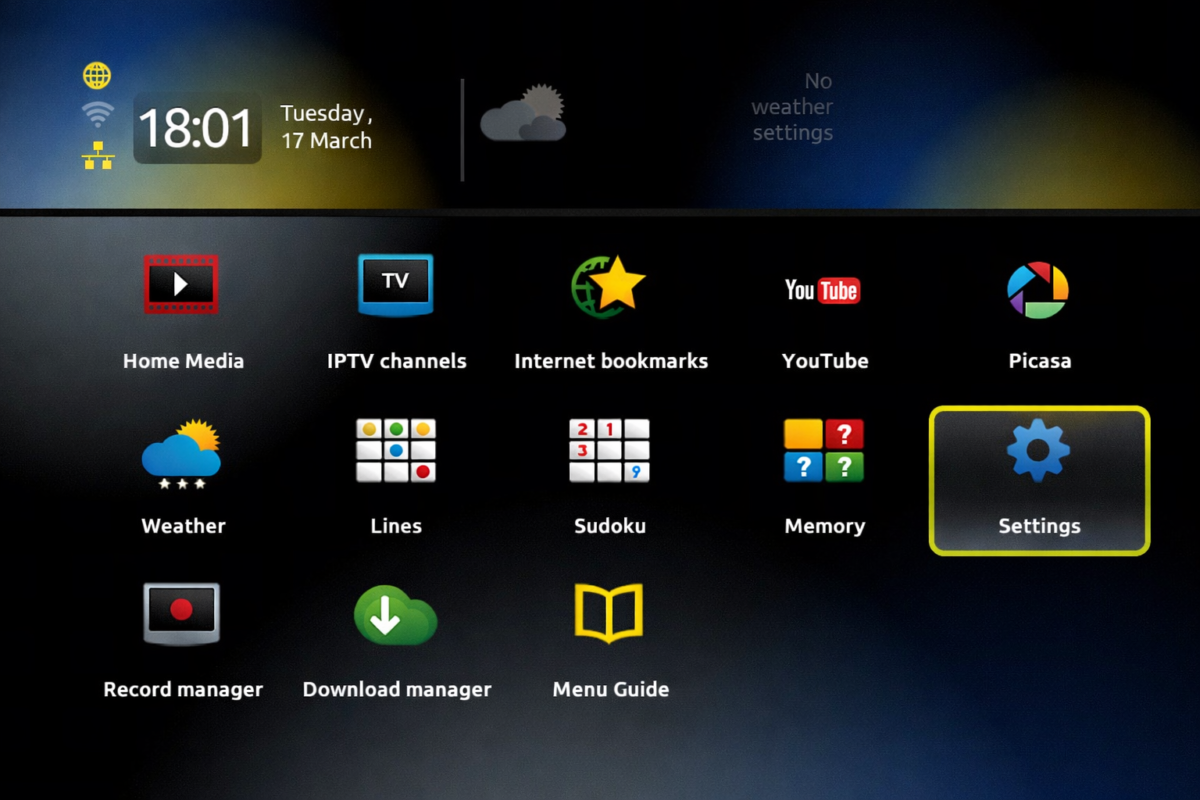
- Turn on your MAG device, then click on Settings.
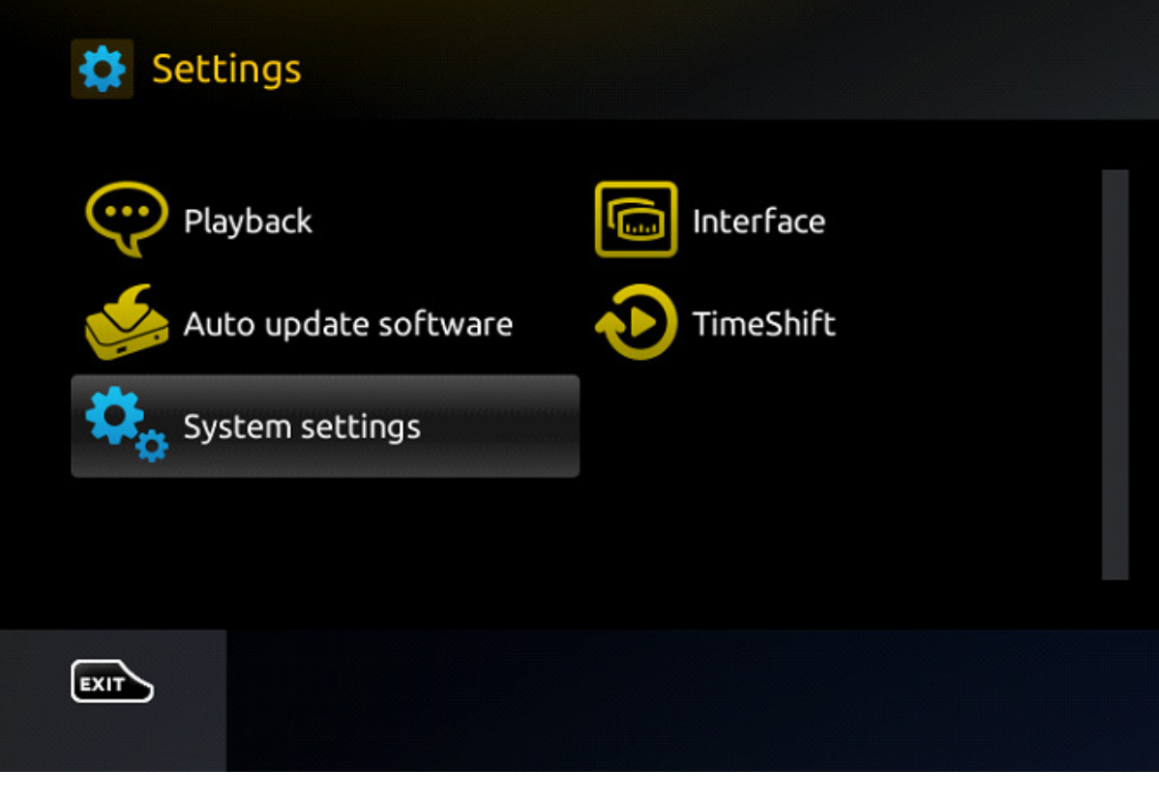
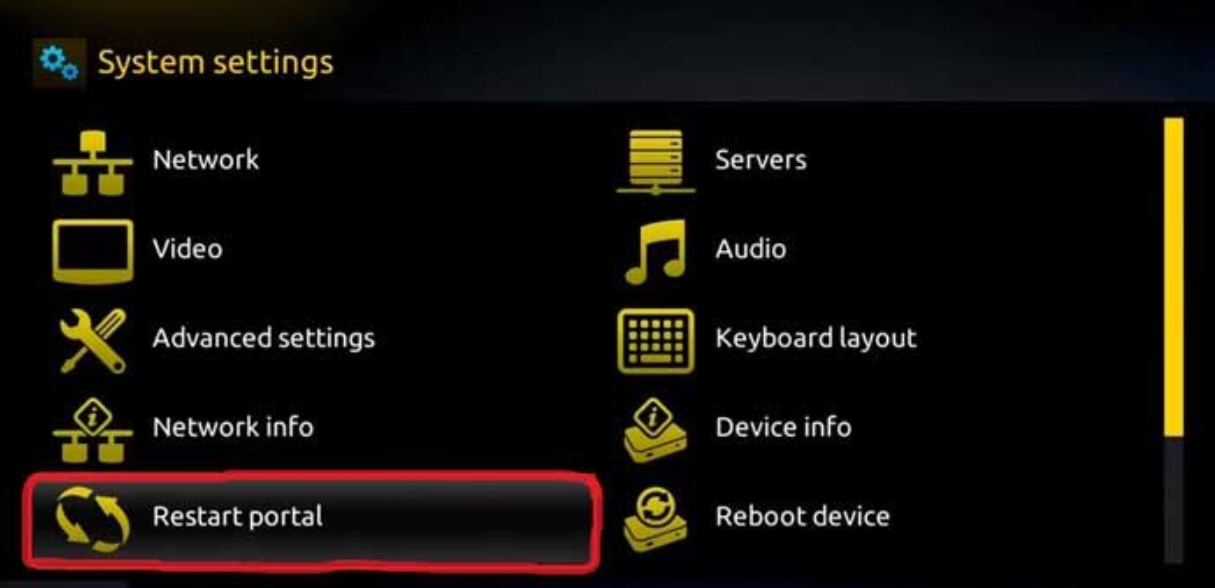
- Accédez au menu Settings, puis sélectionnez System Settings
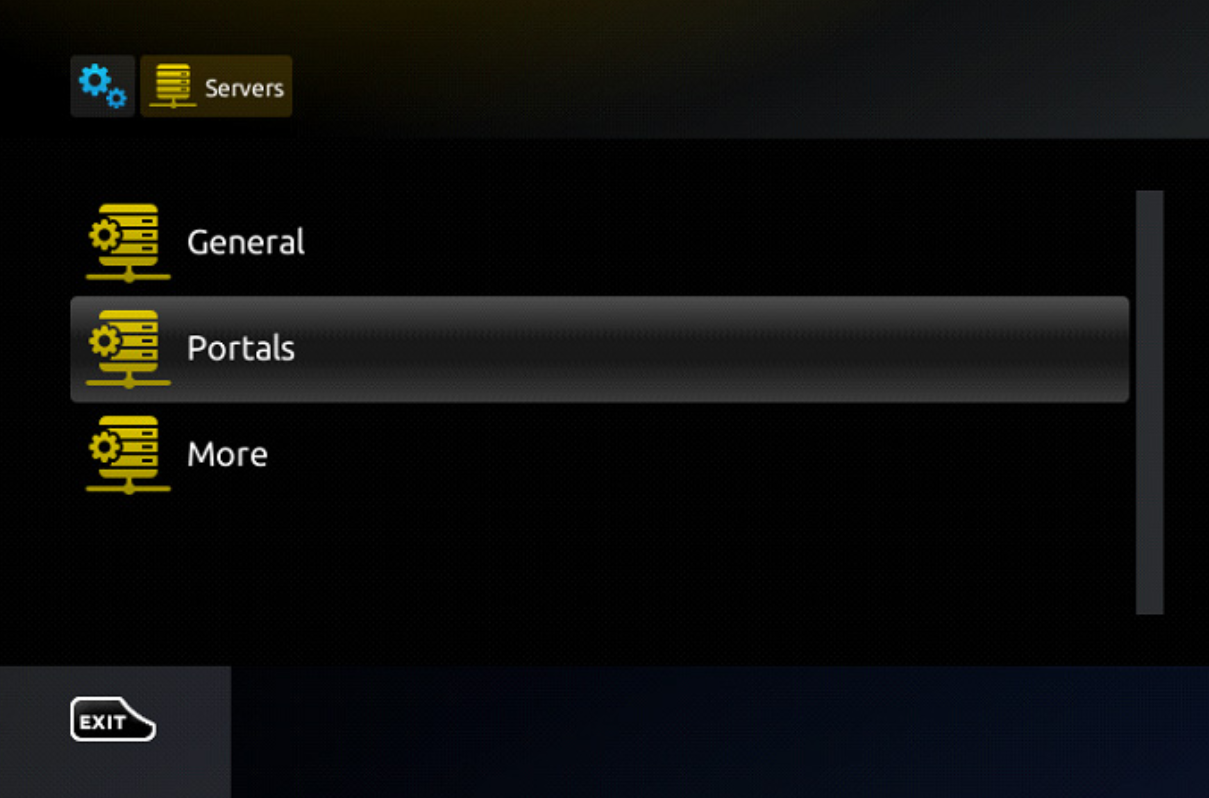
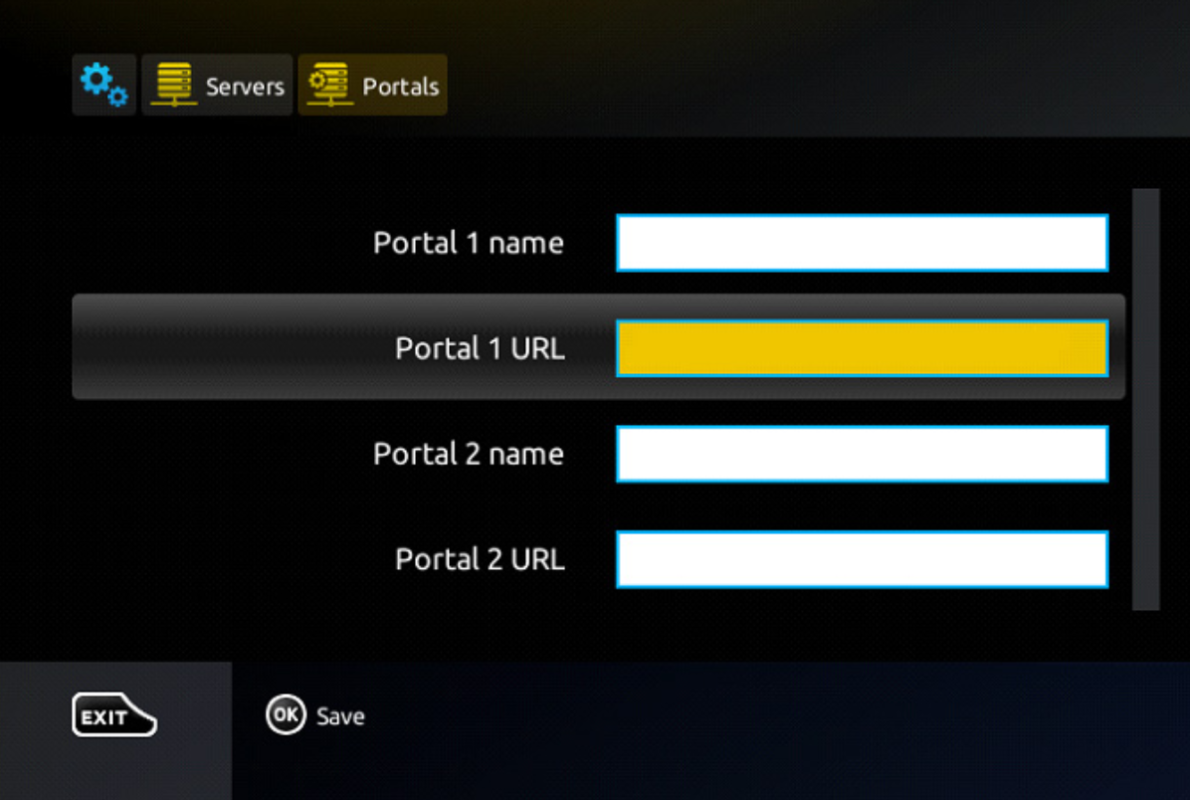
- In the “Portal1Name” field, enter the name. In the “Portal1URL” field, enter the portal address that will be provided to you after purchase.
- Once all the above steps are completed, press “OK”. If the portal does not load, click “RestartPortal”.
- After completing all the steps above, press “EXIT” twice on the remote control and restart the portal. You are now ready to watch live TV.
- Note: If you are using a MAG250 or MAG256 and the portal does not load, this may be due to a channel list that is too large for the device to handle. The box will restart and attempt to load the list several times until it succeeds. Let us know which channels you want to keep: we will reduce the list so that your device works correctly.
- Note: If the message “Your STB is blocked. Call the provider” appears, your MAC address may not be active. Contact us and we will add it for you.