Skip to content
Guide set up firestick
- Although IPTV SmartersPro is available on the Google Play Store and the Apple App Store for Android and iOS devices, it is not hosted on the Amazon Appstore. Therefore, to install it on your Fire Stick, you will need to sideload it. The IPTVSmarters APK will be downloaded using the Downloader app.
- The first step is to install the Downloader application.
- This application will allow you to sideload IPTVSmarters onto FireStick (since downloads via browser are not allowed).
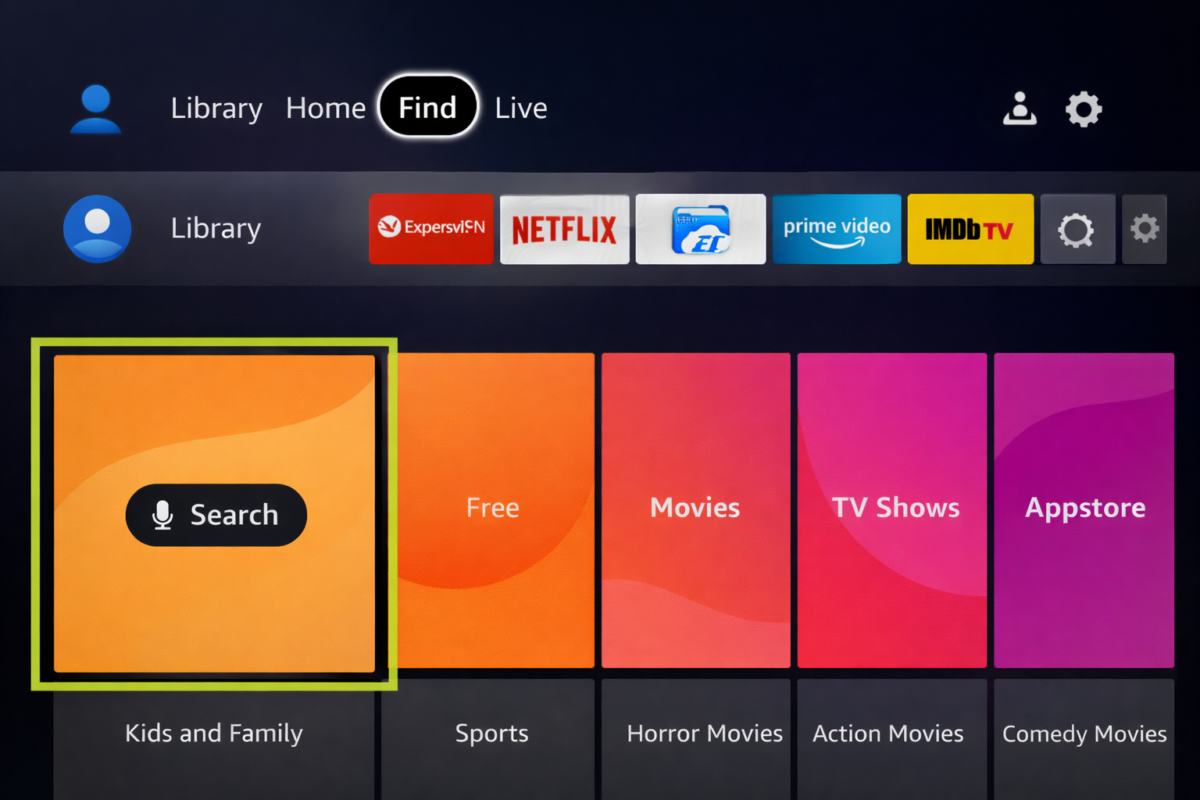
- On your FireStick’s home screen, select the Find option, then Search.
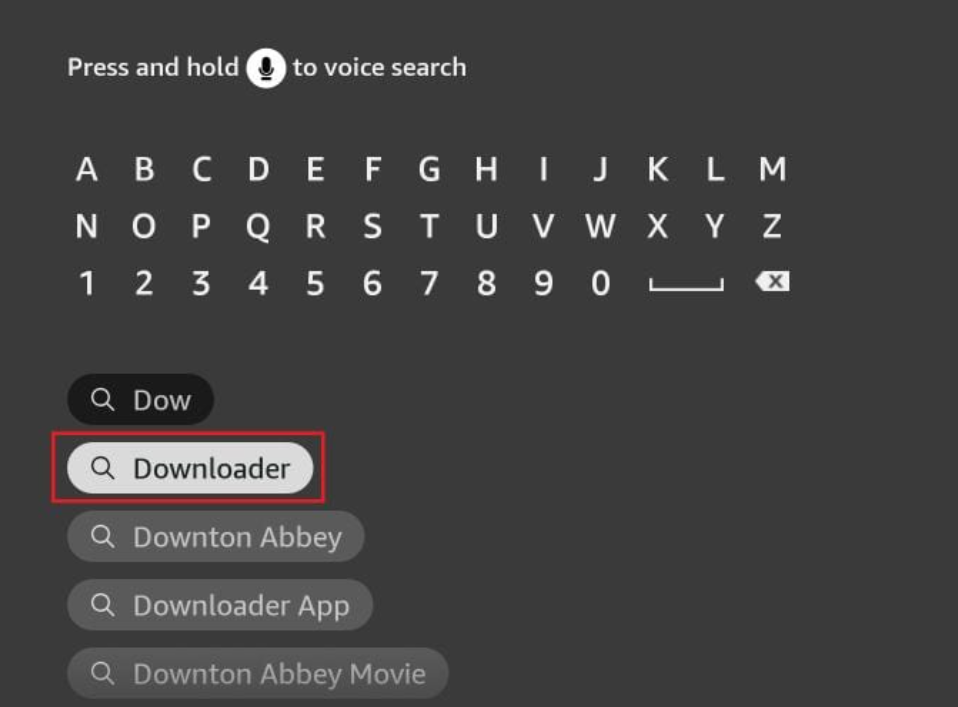
- Enter the application name (Downloader), then select it when it appears in the search results. On the next screen, choose the Downloader icon to start the download and installation.
- Get back to the home screen of FireStick after installing the Downloader app
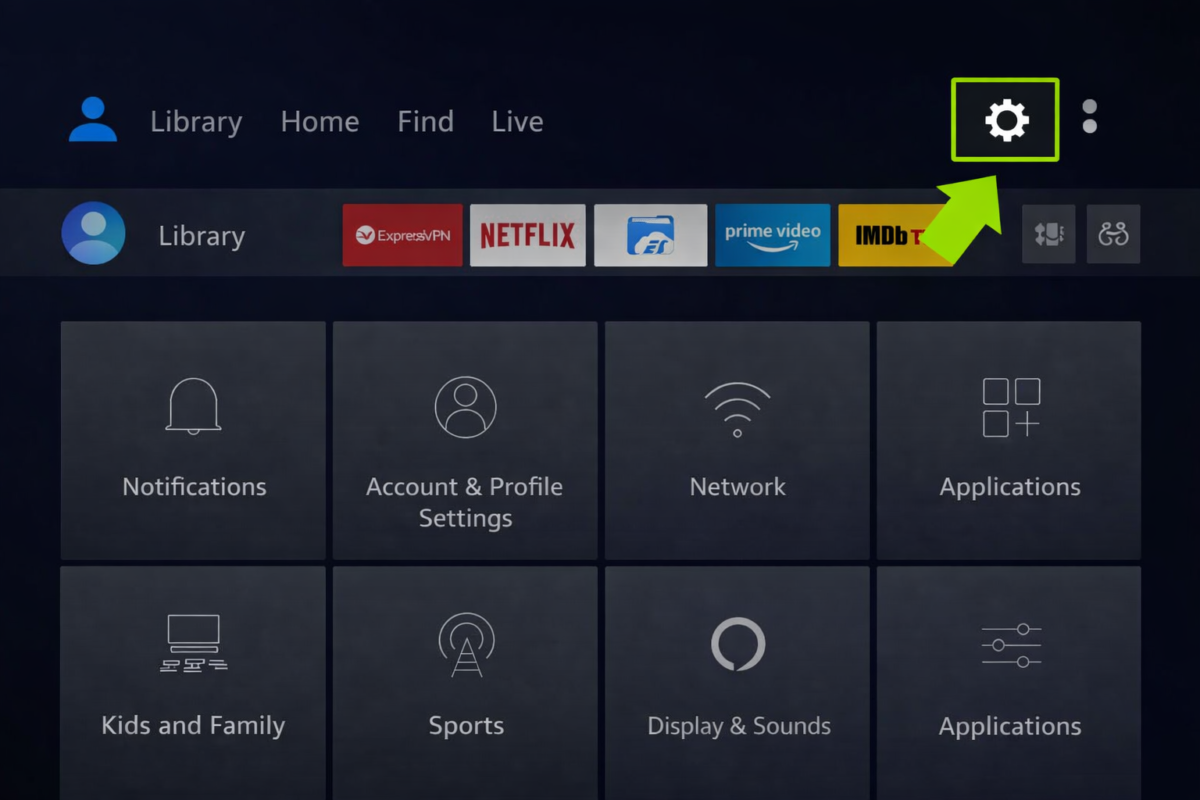
- In the menu bar, click Settings
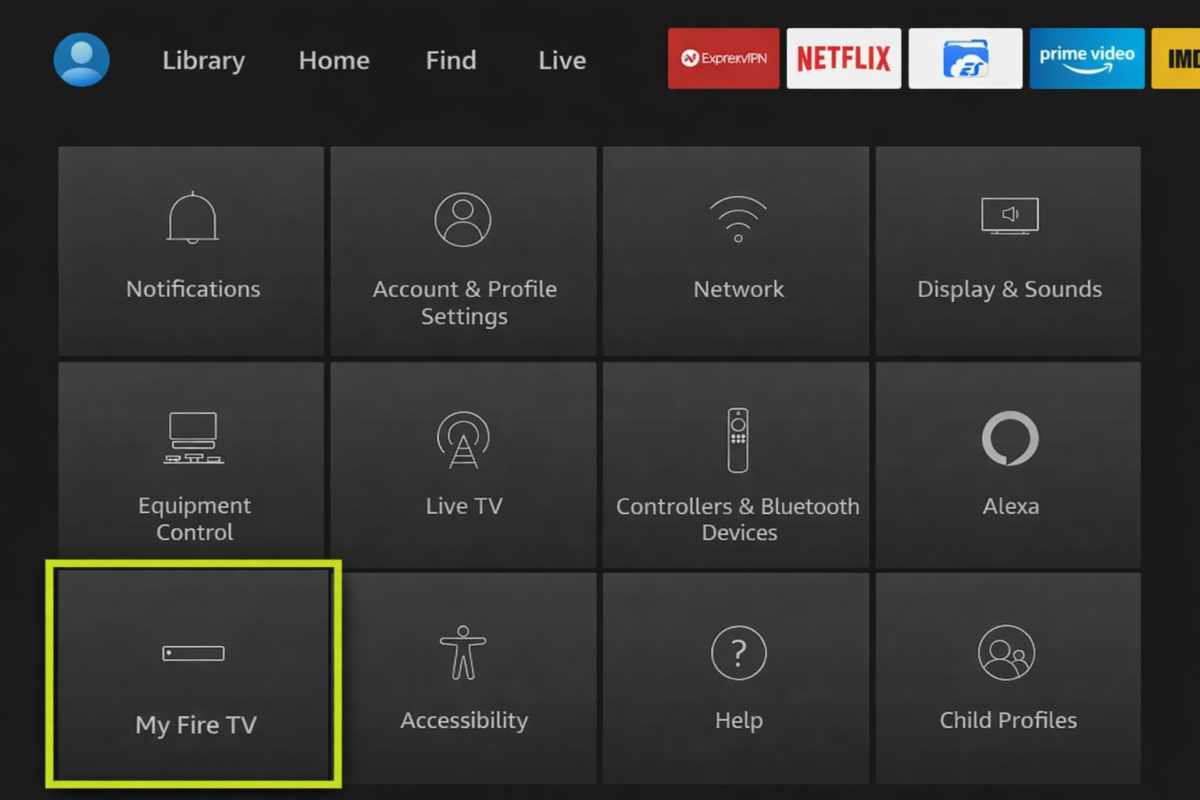
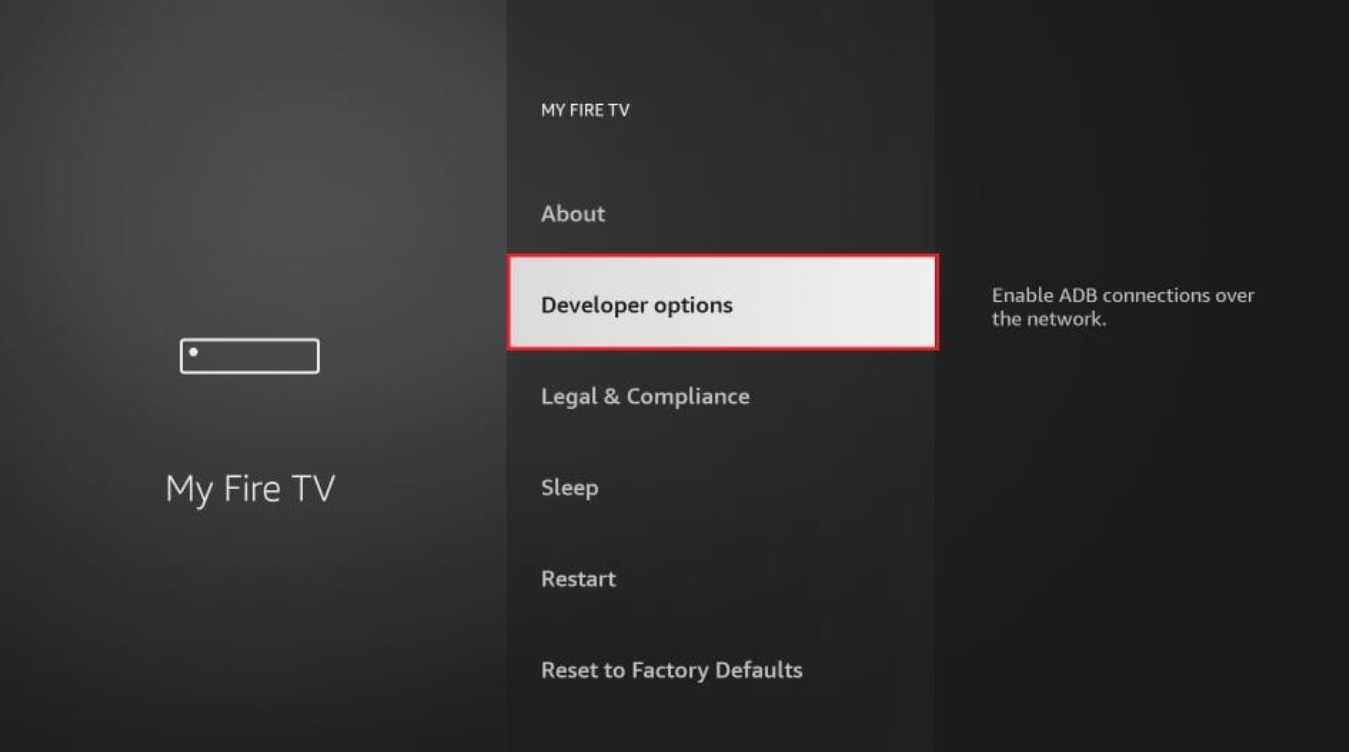
- In the Settings, choose the option My Fire TV
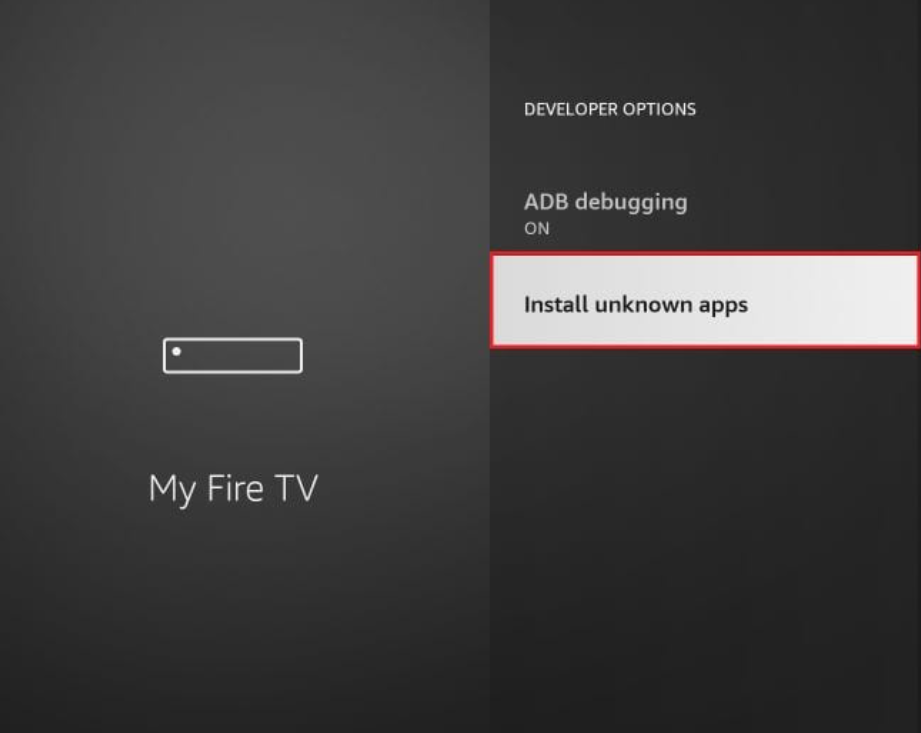
- When the following options appear on the screen, select “DeveloperOptions”
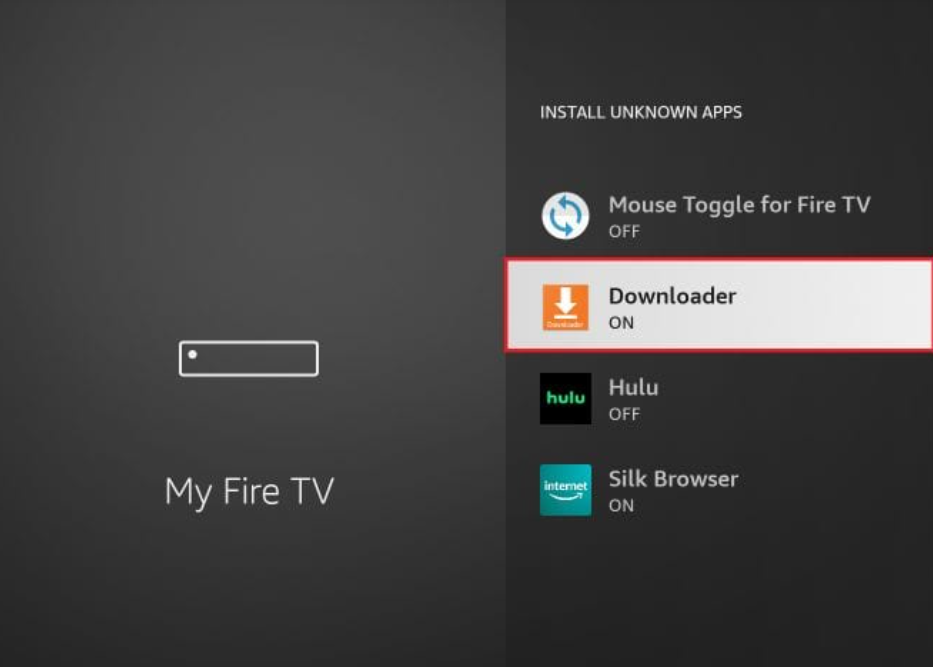
- Click Install from unknown apps
- Click Downloader to change the status to ON
- You have now configured your FireStick settings to allow the installation of IPTVSmarters and other third-party applications. Follow the steps below:
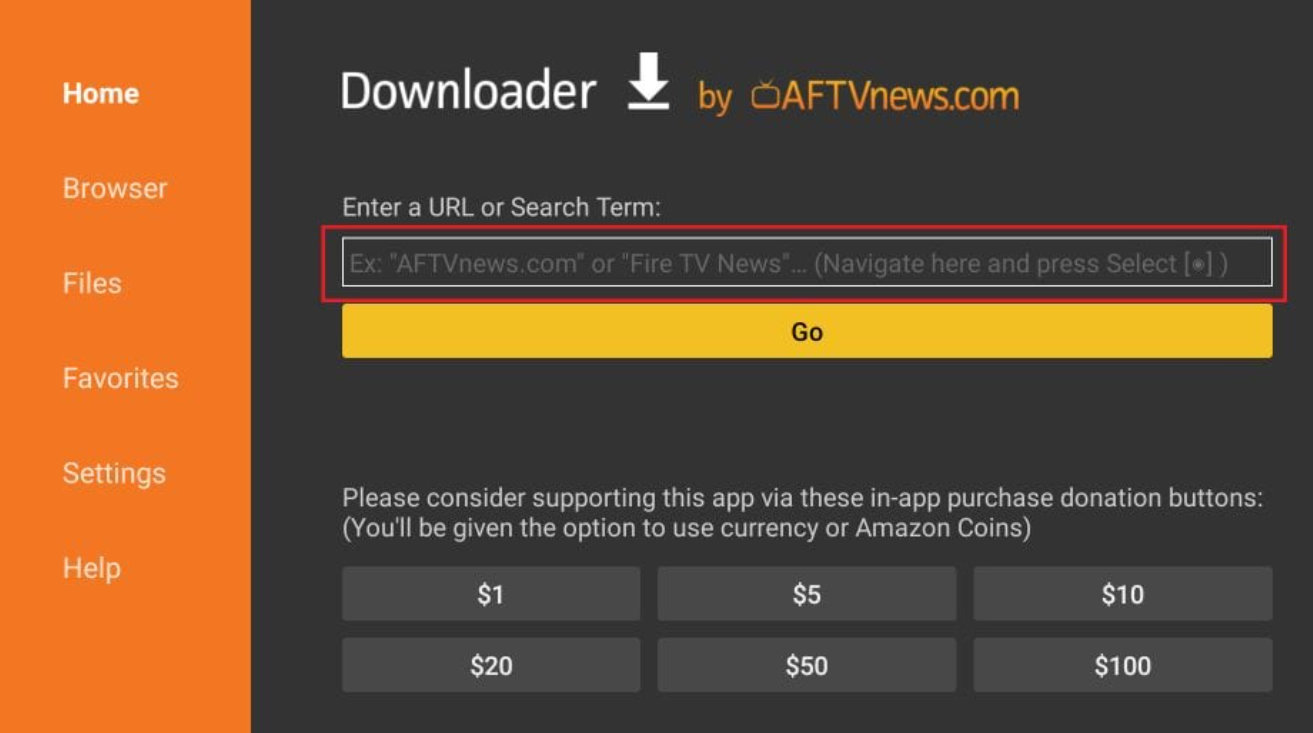
- Open the Downloader application.
- On the first launch, several confirmation windows will appear: ignore them until you see the main screen.
- On this screen, click in the URL text box on the right, making sure that the Home option in the left-hand menu is selected.
- Enter the following code and then click Go:
IPTVSmartersPro: 47827 or 28907
boPlayer: 923441