
After installing the application, open it so that your device’s MAC address is displayed on the interface. If you haven’t noted it down beforehand, you can find it by accessing the left sidebar menu and then entering « Settings. » In the next menu, scroll down to « User Account, » where your device’s MAC address will be displayed.
Guide to set up SMARTONEum dolor sit amet...
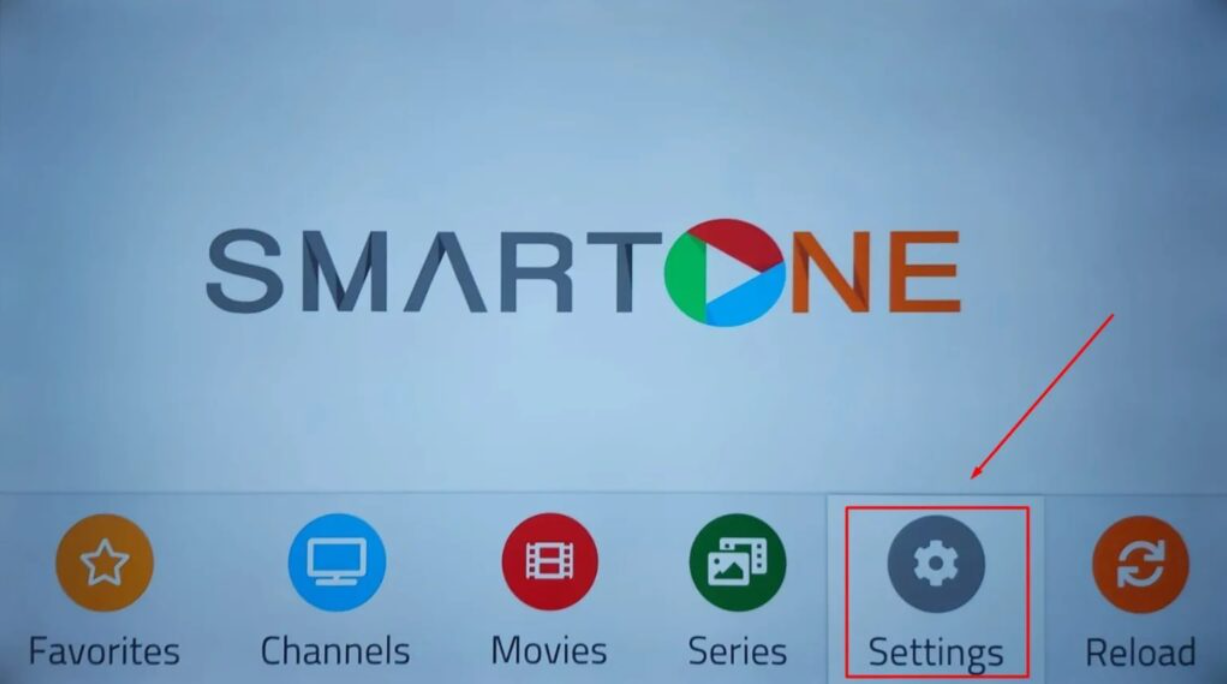
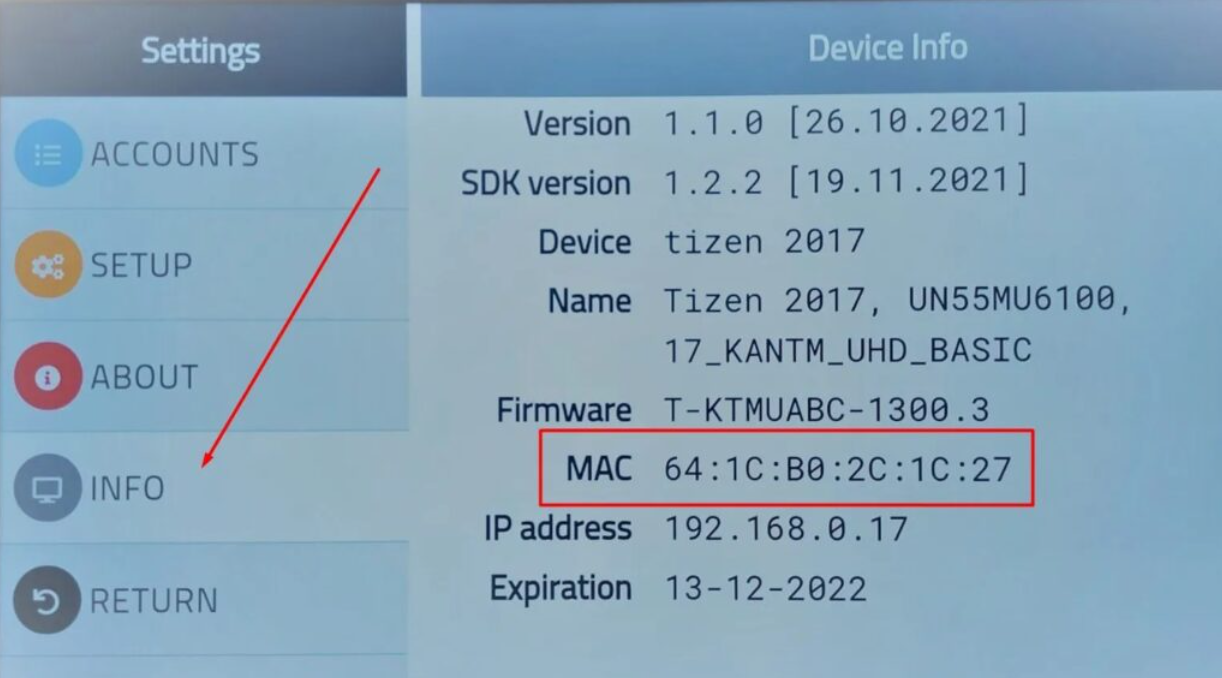
Go to the link https://smartone-iptv.com/plugin/smart_one/main_generate
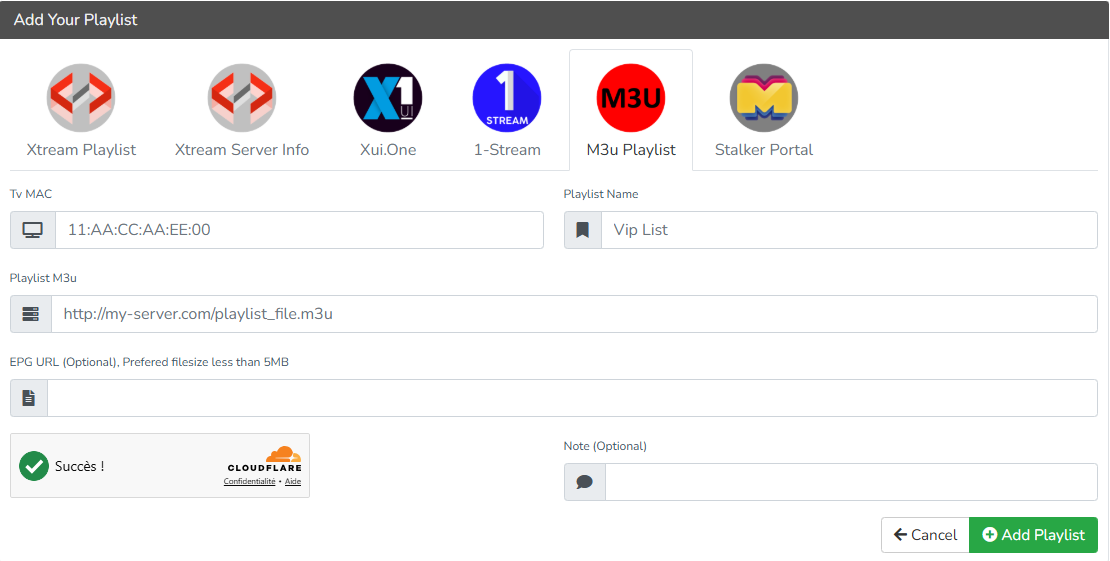
Enter the required information, namely the MAC address and the M3U link provided by your provider, then click on “Add Playlist” to validate.
The final step is to restart the application or refresh the list via Settings > Change Playlist. A window will open asking you to reload the list; simply click “OK” to confirm.